

A mic stand is an essential part of a microphone which enhances your performance. If you are a singer or a solo performer, a microphone stand will be very handy for you. But, before using it, you must learn to set it up properly to avoid damages and errors in your microphone.
When I bought a mic stand for shooting my broadcasting videos, it took me a while to understand its mechanism. I had a hard time setting it up. But, you don’t have to go through these problems. We are here to give you a guide on how to set up our mic stand easily without any hassle.
There are different types of mic stands, and all of those have different mechanisms. All these types of microphone stands are set up in different ways. So, firstly you need to understand what kind of microphone stand you need. After you purchase the ideal microphone stand for you, you need to set it up. Here are some useful tips that will help you set up your stand
Tripod Microphone Stand
Most of the professionals own a tripod microphone stand these days. So if you are planning to buy one you can go for companies like CAHAYA and InnoGear. It has a lot of parts to it, so it might be a bit tricky for you to assemble it if you are a beginner. These tips by us would help you to set-up your microphone stand easily.
- Open the kit
Assemble all the parts and equipment of your microphone stand and make sure that you have all the parts and nothing is missing. If a part of it is missing, the mic stand will not function properly. If any of the parts is missing, contact your seller immediately.
- Attach the parts
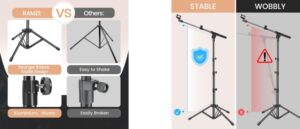
Unfold its legs. Make sure that all the legs are spread evenly and it’s stable. If the microphone stand is not stable enough, it might break off easily. I
- Adjust the height
Most of the microphone stands are adjustable. so , you can just adjust the height according to your convenience. It’s not a complex job, you just have to loosen the adjustment screw, adjust it the way you want and tighten it carefully to avoid any error while using your microscope. - Mount the microphone
After you have placed the stand and adjusted the height, start placing the microphone into the holder or the clip provided with your microphone stand. Make sure to attach the microphone carefully to avoid glitches and you are good to go.
Boom Arm Microphone Stand
Boom arm stands are pretty useful and handy. These stands are very flexible. You can control your mike according to your convenience with this stand. I’ve been a user of boom arm microphone stands from 5core for years, and I would say I made the right choice. It also has noise reduction qualities which is quite impressive.
- Attach the base
Boom arm stands come with a base, so the first step for you will be to attach the base to the stand carefully. The base usually mounts to the surface. It might also clamp to the surface depending on the design of your stand. Make sure to tighten the screws.
- Attach the boom arm
Adjust the boom arm according to your convenience and place it in a visual position. You can extend the boom arm and adjust your mic according to your needs. Once you have positioned it and you’re satisfied, make sure to lock the arm properly so it doesn’t loosen up.
- Fix the angle
Make sure that the microphone is facing you and the arm is within your reach. A proper angle would enhance the sound of your microphone. Adjust the angle with your hand and lock it before using it. And finally, you are done with setting up your boom arm microphone stand.
Desk Mount Microphone Stand
These are basic microphone stands used by beginners. It does not have many features and is directly mounted onto the edge of your desk. Usually it is a kind of compact and simple microphone stand.
- Place the clamp
Put the clamp at the edge of your desk and position it carefully. It’s necessary to tighten it to make sure that the mount is in place and it’s fixed properly.
- Attach the arm
Place the arm inside the clamp and tighten the screws attached to it carefully. It is necessary to keep it fixed, so make sure that it’s properly done to prevent errors and glitches in the microphone while using it.
- Attach the microphone
Make sure to attach the microphone onto the shock mount. Now, this totally depends upon your setup. Make sure to tighten up all the screws while setting it up.
- Adjust the position
Adjust the angle of the arm of your stand and make sure that it’s within your reach. After you are done with adjusting just double check if you have tightened all the locks properly and you’re done with setting up your microphone stand.
Conclusion
Sometimes, being a beginner you find it hard to install a microphone stand. Even when I bought a microphone stand, I faced difficulties while adjusting it. But, eventually I figured it out. But we are here to provide you useful tips that will help you throughout. No matter what kind of products you need help with, we are here for you.